
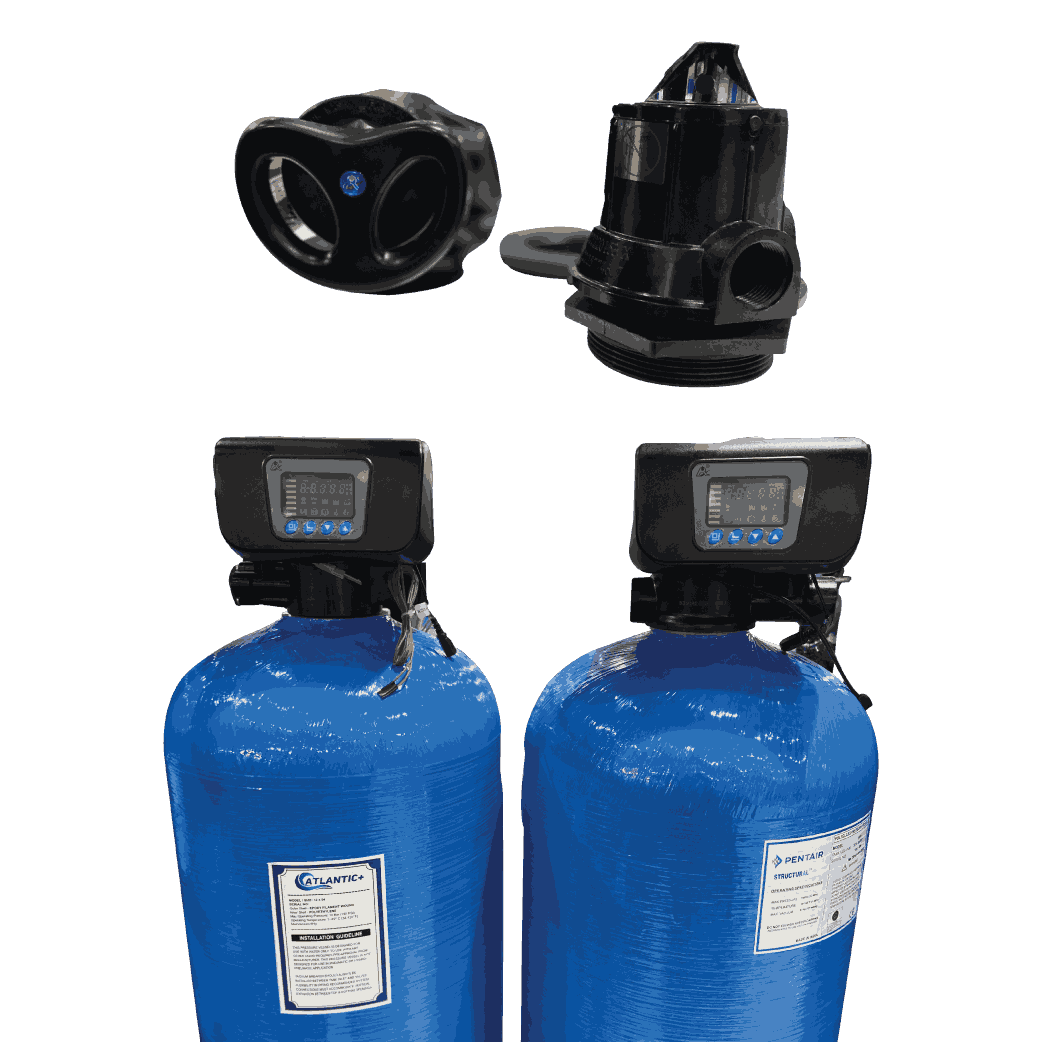
Correct manual multiport valve operation depends on selecting the right position only after the pump is stopped and pressure is released. During normal treatment use Service or Filter; use Backwash to lift and clean the media bed, followed by Rinse to resettle it. Valve labels and sequences vary, so the installed model’s manual remains the final authority.
What You Will Learn
- What a multiport valve does
- What common valve positions mean
- How to backwash and rinse a filter
- When backwashing may be required
- Common problems and checks
- Manual versus automatic operation
- Frequently asked questions
What a Multiport Valve Does in a Water-Treatment Filter
A multiport valve directs water through different paths without requiring an operator to open and close several separate valves. In a pressure sand filter, activated-carbon filter or similar media vessel, the selected position determines whether water passes through the bed for treatment, reverses through it for cleaning or goes to drain.
The valve must match the application, flow, pipe size, mounting arrangement and vessel connection. Filter and softener valves may have different internal paths and cycle labels.
Common Multiport Valve Positions Explained
The exact positions depend on the valve model. Before operating an unfamiliar unit, identify the inlet, outlet and drain connections and read the label or manufacturer’s manual. Common filter-valve positions include the following.
| Valve position | Typical function | Operator note |
|---|---|---|
| Service or Filter | Directs feed water through the media bed and sends treated water to the outlet | Use for normal filtration after outlet quality is confirmed |
| Backwash | Reverses flow to expand and clean the media bed, with dirty water sent to drain | Confirm the drain can safely accept the required flow |
| Rinse or Fast Rinse | Runs water in the service direction but sends it to drain | Helps resettle media and flush remaining fines before service |
| Drain or Waste | Routes water directly to drain on models that provide this function | Do not confuse it with backwash; the internal path may differ |
| Closed | Blocks flow inside the valve on some models | Never run the pump against a closed flow path |
| Bypass | May route water around the treatment bed on certain valve assemblies | Untreated water may reach the outlet; verify the actual plumbing |
Some valves omit these positions, while softener valves may include brine draw, slow rinse or refill. The valve label and piping diagram take priority.
Safe Backwash-and-Rinse Sequence for a Manual Valve
The most important rule is simple: do not rotate a manual multiport valve while the pump is running or the system remains pressurised. Moving the handle under flow can damage seals, create water hammer or send water through an unintended path.
- Record the starting condition. Note inlet and outlet pressures, flow, outlet quality and the current valve position.
- Stop the feed pump. Follow the site shutdown procedure and prevent an automatic restart.
- Isolate and depressurise. Confirm that stored pressure has been safely released before touching the selector.
- Select Backwash. Press the handle fully if required by the design, rotate it positively into the marked position and release it gently.
- Start at the approved backwash flow. Observe the drain line and run for the time or outlet-quality endpoint specified for the media and vessel.
- Stop and depressurise again. Never move directly from Backwash to Rinse under pressure.
- Select Rinse. Restart at the approved flow and send water to drain until the prescribed rinse is complete.
- Stop, depressurise and return to Service. Restart gradually, check for leakage and confirm treated-water quality before supplying downstream equipment.
Backwash duration alone does not prove that the bed is clean. Flow must be sufficient for the installed media and water temperature, yet remain within the vessel, distributor and drain-line limits. Use the filter designer’s commissioning data rather than copying settings from another plant.
When Should a Media Filter Be Backwashed?
Backwashing should follow operating evidence and the approved maintenance plan. A fixed calendar interval may be useful as a starting control, but changing source-water turbidity and flow can load identical filters at very different rates.
- Pressure differential has risen above the established clean-bed baseline.
- Service flow has declined at the same pump condition.
- Turbidity or another relevant outlet-quality indicator has deteriorated.
- The scheduled limit from the filter design or operating procedure has been reached.
- The plant was opened, media was added or maintenance requires recommissioning.
ABHIRO’s industrial RO pressure-drop guide explains how to compare readings at similar flows and locate the first abnormal section before assuming that a media filter is blocked.
Common Multiport Valve Problems and Practical Checks
Unexpected drain flow, poor backwashing or reduced service flow may originate in the valve, but piping, media and vessel internals can produce similar symptoms. Diagnose the complete flow path before replacing parts.
- Water leaks to drain during Service: check the selected position, handle engagement, internal seal condition and debris inside the valve after safe isolation.
- Handle is difficult to move: do not force it; confirm zero pressure and inspect for scale, damaged components or an incorrect operating method.
- Backwash flow is weak: check feed supply, pump condition, restricted piping, drain backpressure and whether the valve size matches the required flow.
- Media appears at the drain: stop and investigate excessive backwash flow, wrong media grading, insufficient freeboard or distributor failure.
- Poor outlet quality after backwash: complete the specified rinse, check valve position and verify that the bed has resettled before returning water to service.
Valve and vessel compatibility must be checked together. Review ABHIRO’s FRP vessel range when confirming opening size, mounting arrangement, internal distribution and required flow.
Manual or Automatic Multiport Valve?
A manual valve can be practical where trained operators are consistently available and the filter duty is straightforward. An automatic valve can improve repeatability when cycles must run at defined times or volumes, but it still requires correct programming, adequate supply pressure, proper drain capacity and routine verification.
- Browse ABHIRO’s manual multiport valve category.
- Compare available automatic multiport valves where unattended cycles are required.
Frequently Asked Questions
Can I change the valve position while the pump is running?
No. Stop the pump, isolate the system as required and release pressure before changing a manual valve position. Follow the specific valve and plant safety procedure.
What is the difference between Backwash and Rinse?
Backwash normally reverses flow to lift and clean the media bed. Rinse usually sends water through the bed in the service direction but discharges it to drain so the media resettles and remaining fines are flushed.
Why is water continuously going to drain?
The valve may be in the wrong position, not fully seated or affected by debris or internal-seal damage. Isolate and depressurise the system before inspection.
Can the same valve be used for a filter and a softener?
Not automatically. Filter and softener valves may have different internal paths, cycle functions and connections. Confirm the exact application and model compatibility before selection.
Select the Correct Valve for Your Filter System
For manual and automatic multiport valves, FRP vessels, filter media and industrial RO pretreatment components, contact ABHIRO Water Purifier, Coimbatore. Share the vessel model, opening size, filter media, pipe size, service flow, required backwash flow and installation photographs so compatibility can be reviewed before ordering.
Explore more practical resources in the ABHIRO Water Treatment Knowledge Centre, covering industrial RO systems, membranes, filtration, water testing, softening, treatment chemicals and maintenance.
